Table primer
Many PDS4 data products are tables. If your data product is not an image, chances are it is a table of some sort. This deep dive takes a look at how PDS4 tables are structured and how their metadata are expressed in labels so you can start working with them.
|
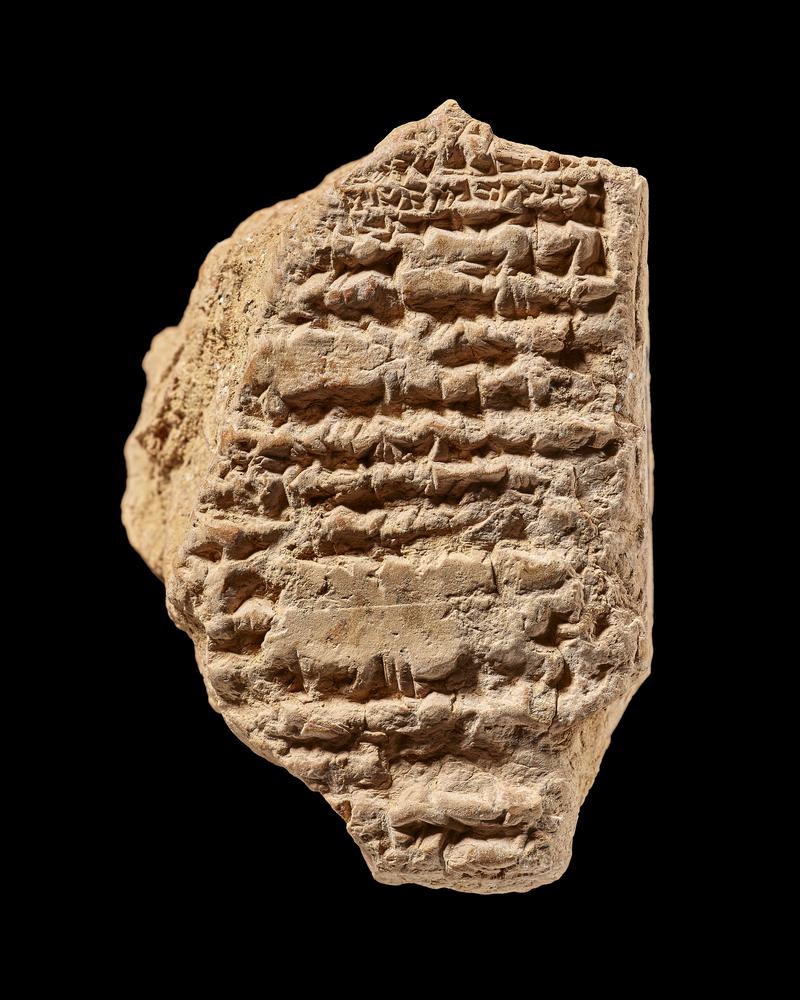
Clay cuneiform tablet. Astronomical; table of lunar eclipse reports for at least 529-526 BC. © The Trustees of the British Museum. Shared under a Creative Commons Attribution - Non-Commercial - Share Alike 4.0 International (CC BY-NC-SA 4.0) license. |
Sumerians inscribed accounting data into clay tablets as structured rows. Lists of holidays and astronomical cycles often have been arranged in columns and rows. Closer to our planetary science realm, consider the Babylonian ephemerides tables like that shown in the image above. Tables have long been used to improve conveyance of information. PDS4 tables do the same in a structured way so that values are well described and defined for human and computer consumption.
Type of tables
PDS4 allows for three types of tables: binary, character, and delimited. Technically, delimited tables are considered as "parsable byte strings" by PDS4 Nerds, but let's skip that.
Conceptually, tables consist of named columns containing data values at fixed locations or separated by a delimiter. The data may consist of numbers and character strings including dates, times, and Boolean values; but any one column — also known as a field — contains only values of a single type.
Physically, the data are stored as a sequence of identically structured records where each record must be terminated by a record delimiter (optional, and in fact rare, for a binary table).
In binary and character tables, fields within each record are of fixed length and begin at fixed locations. Because both field lengths and record lengths are fixed, field values can be identified by position alone. However, field delimiters may optionally be included. In delimited tables, field length and record length may vary, thus a row must be parsed to extract a single value.
Binary table values are in binary formats and are not human readable. Character and delimited table values may be in ASCII or UTF-8 (generally human readable). Character tables must have fixed width records and optionally may have delimiters (e.g., a comma) between fields in the record. Delimited table values must be separated by a delimiter.
| Table type | Data representation | Fixed width records | End of value delimiter | End of record delimiter | |

|
Binary | binary | yes | no | optional |

|
Character | ASCII or UTF-8 | yes | optional | yes |

|
Delimited | ASCII or UTF-8 | no | yes | yes |
Record structure
A table's structure is defined in the label under File_Area_Observational. Each record (row) in a table must follow the same structure.
A record is constructed from fields (columns), and repeating sets of fields that may be grouped within the record to simplify its definition.
Consider this snippet from a PDS4 label:
<File_Area_Observational>
	<File>
		<file_name>ss__1569_0806262251_250rls__0771350srlc12018_104___j01.csv</file_name>
		<local_identifier>ss__1569_0806262251_250rls__0771350srlc12018_104___j01</local_identifier>
		<creation_date_time>2025-10-28</creation_date_time>
	</File>
	<Table_Delimited>
		<name>LASER SHOT POSITION</name>
		<local_identifier>laser-shot-position</local_identifier>
		<offset unit="byte">61</offset>
		<parsing_standard_id>PDS DSV 1</parsing_standard_id>
		<description>Laser shot positions for each ACI image</description>
		<records>100</records>
		<record_delimiter>Carriage-Return Line-Feed</record_delimiter>
		<field_delimiter>Comma</field_delimiter>
		<Record_Delimited>
			<fields>5</fields>
			<groups>0</groups>
			<Field_Delimited>
				<name>number</name>
				<field_number>1</field_number>
				<data_type>ASCII_Integer</data_type>
				<description>The laser shot number</description>
			</Field_Delimited>
Each record in the delimited table has five fields and no groups. The first field (table column) is an integer in ASCII format. Other key information from the label is that the field name is "number" and the description tells us the value is the laser shot number.
Fields can be grouped in the table, usually to simplify the record's definition in the label. For example, a row of histogram data with 4,096 fields (columns) is defined as a group with one field repeated 4,096 times rather than listing that many individual fields, as shown in this example:
<Table_Delimited>
	<name>PIXL DWELL HISTOGRAM B SPREADSHEET</name>
	<local_identifier>pixl-dwell-histogram-b-spreadsheet</local_identifier>
	<offset unit="byte">43613460</offset>
	<parsing_standard_id>PDS DSV 1</parsing_standard_id>
	<records>23</records>
	<record_delimiter>Carriage-Return Line-Feed</record_delimiter>
	<field_delimiter>Comma</field_delimiter>
	<Record_Delimited>
		<fields>0</fields>
		<groups>1</groups>
		<Group_Field_Delimited>
			<name>B_group</name>
			<repetitions>4096</repetitions>
			<fields>1</fields>
			<groups>0</groups>
			<description>Dwell histogram data associated with Detector B</description>
			<Field_Delimited>
				<name>B</name>
				<field_number>1</field_number>
				<data_type>ASCII_Integer</data_type>
			</Field_Delimited>
		</Group_Field_Delimited>
	</Record_Delimited>
</Table_Delimited>
Groups can also contain subgroups. You can see that table definitions can be tricky at times!
Describing table fields and groups
As mentioned, each record in a table has the same structure and comprises one or more field (columns) or groups of fields.
Field attributes
The table below shows the required and optional attributes for describing a field in a table. Rarer attributes are not listed.
| Field attribute | Description |
Binary |
Character |
Delimited |
Binary bit (packed)1 |
|---|---|---|---|---|---|
| name | The term by which the field is known. | required | required | required | required |
| description | A statement, picture in words, or account that describes the field. | optional | optional | optional | optional |
| data type | The hardware representation used to store a value in the field, e.g., ASCII_Integer or SignedLSB4. | required | required | required | required |
| field format | The magnitude and precision of the data value. | optional | optional | optional | optional |
| field length | The number of bytes in the field. | required | required | not allowed | not allowed |
| field location | The starting byte for a field within a record or group, counting from '1'. | required | required | not allowed | not allowed |
| field number | The position of a field, within a series of fields, counting from 1. If two fields within a record are physically separated by one or more groups, they have consecutive field numbers; the fields within the intervening group(s) are numbered separately. Fields within a group separated by one or more (sub)groups will also have consecutive field numbers. | optional | optional | optional | optional |
| maximum field length | An upper, inclusive bound on the number of bytes in the field. | not allowed | not allowed | optional | not allowed |
| scaling factor | The scaling factor to be applied to each stored value in order to recover an original value. The observed value (Ov) is calculated from the stored value (Sv) thus: Ov = (Sv * scaling_factor) + value_offset. The default value is 1. | optional | optional | optional | optional |
| start bit location | the first bit in the parent packed data field. Bytes are sequential and bits are numbered continuously across byte boundaries within a single bit field. The first bit position in the packed data field is "1". | not allowed | not allowed | not allowed | optional |
| stop bit location | The location of the last bit in this bit field relative to the first bit in the packed_data field. Bits are numbered continuously across byte boundaries. The first bit location in the packed data field is "1". | not allowed | not allowed | not allowed | optional |
| unit | The unit of measurement. | optional | optional | optional | optional |
| validation format | The magnitude and precision of the data value with the expectation that both will be validated exactly. A subset of the standard POSIX string formats is allowed. See the PDS Standards Reference section "Field Formats" for details. | not allowed | optional | not allowed | not allowed |
| value offset | The offset to be applied to each stored value in order to recover an original value. The observed value (Ov) is calculated from the stored value (Sv) thus: Ov = (Sv * scaling_factor) + value_offset. The default value is 0. | optional | optional | optional | optional |
| field statistics2 | A set of metrics for a column formed by a field in a repeating record. | optional | optional | optional | not allowed |
| packed data fields1 | Field definitions for extracting packed data from the associated byte string field. | optional | not allowed | not allowed | not allowed |
| special constants3 | A set of values used to indicate special cases that occur in the data. | optional | optional | optional | optional |
1, 2, 3Read on for a discussion on these highlighted values.
As you can see, many attributes describing a field are not required and sometimes are not even optionally allowed. For example, you might have noticed that the description attribute is optional. If you cannot imagine why a data provider wouldn't include a description, you are not alone. If you are a data provider who didn't include a description in your label, you also are not alone—but you are welcome to update your labels!
Binary bit fields (table note 1), referred to as packed data fields in PDS4 standards, are used to condensed values in a binary table. These packed fields are no longer allowed in observational data (since 2017) except for DSN and raw radio science data. Other types of data, like ancillary products, can have packed data fields if an unpacked version is also provided.
Field statistics (table note 2), if provided, can include these optional attributes: description, local identifier, maximum, mean, median, minimum, and standard deviation. Special constants (table note 3), if provided, can include these optional attributes: error constant, nigh instrument saturation , high representation saturation, invalid constant, low instrument saturation, low representation saturation, missing constant, not applicable constant, saturated constant, unknown constant, valid maximum, and valid minimum.
Group attributes
Groups (formally "Group fields" in the PDS4 standard) have a smaller set of descriptive attributes, shown in the table below.
| Group attribute | Description |
Binary |
Character |
Delimited |
|---|---|---|---|---|
| name | The term by which the field is known. | optional | optional | optional |
| description | A statement, picture in words, or account that describes the field. | optional | optional | optional |
| fields | A count of the total number of fields directly associated with a group. Fields within subgroups of the group are not included in this count. | required | required | required |
| group length | The total length, in bytes, of a repeating field and/or group structure. It is the number of bytes in the repeating fields/groups plus any embedded unused bytes that are also repeated multiplied by the number of repetitions. | required | required | not allowed |
| group location | The starting position for a group within the containing record or group, in bytes. Location '1' denotes the first byte of the containing class. | required | required | not allowed |
| group number | The position of a group, within a series of groups, counting from 1. If two groups within a record are physically separated by one or more fields, they have consecutive group numbers; the intervening fields are numbered separately. Groups within a parent group, but separated by one or more fields, will also have consecutive group numbers. | optional | optional | optional |
| groups | A count of the number of subgroups within the repeating structure of a group. Subgroups belonging to the subgroups within this group are not included in this count. | required | required | required |
| repetitions | The scaling factor to be applied to each stored value in order to recover an original value. The observed value (Ov) is calculated from the stored value (Sv) thus: Ov = (Sv * scaling_factor) + value_offset. The default value is 1. | required | required | required |
Table and record attributes
Finally, attributes describing the structure of tables and records are listed in the table below.
| Table attribute | Description |
Binary |
Character |
Delimited |
|---|---|---|---|---|
| name | The term by which the field is known. | optional | optional | optional |
| description | A statement, picture in words, or account that describes the field. | optional | optional | optional |
| field delimiter | not allowed | not allowed | required | |
| local identifier | A character string which uniquely identifies the table in the label. | optional | optional | optional |
| md5 checksum | The 32-character hexadecimal number computed using the MD5 algorithm for the contiguous bytes of the table. | optional | optional | optional |
| object length | The length of the table in bytes. | not allowed | not allowed | optional |
| offset | The displacement of the table starting position from the beginning of the file If there is no displacement, offset=0. | required | required | required |
| record delimiter | The character or characters used to indicate the end of a record. | not allowed | required | required |
| records | The count of records in the table. | required | required | required |
| Record attribute | Description |
Binary |
Character |
Delimited |
| fields | A count of the total number of fields directly associated with a group. Fields within subgroups of the group are not included in this count. | required | required | required |
| groups | A count of the number of subgroups within the repeating structure of a group. Subgroups belonging to the subgroups within this group are not included in this count. | required | required | required |
| maximum record length | The maximum length of a record, including the record delimiter. | not allowed | not allowed | optional |
| record length | The length of a record, including the record delimiter. | required | required | not allowed |
Working with a data product
Generally, a data product has a metadata label file and a data file. (One label can point to more than one data file; see Understanding data products for more on this.) When working with a data product containing tabular data, you need both parts:
- The label that contains the table structure (what to use and what to skip)
- The data file that contains the data
The filename extension of a product's data file can give you a hint as to the table format and how you can work with the data. For example, if the data file ends with ".csv", you have a CSV (comma separated value) file with values in each row delimited by a comma. A filename ending ".fits" indicates a file that is ready to be consumed with a program that reads FITS data.
It is worth noting that a single data product can have more than one table, each with a unique format. You can double-click on that CSV file and it will open in Excel. You can scroll around and easily recognize the presence of multiple tables and understand a bit of how they differ. But your scientific program might need help parsing the different tables in the file.
A good starting point is previewing the table structure and data values in the Notebook. Use the Notebook's Table view to do just that. Simply click on a data product from the Sol list, Map tool, or Data Search results, and the detail page will get you started.
More than meets the eye
Not everything in the data file is part of a table. Data providers are allowed to include header elements in the data file. The header might include column headers to help when opening a CSV file in a text editor or spreadsheet tool. They are essential when the file has a dual format that is compatible with PDS4 and FITS standards. The good news is that table definitions in the label contain pointers to the exact data locations.
see also